New — Now on Apple TV

SmartRTSP for
Apple TV

Turn your TV into a local RTSP, RTSPS, and ONVIF camera monitor. Add a camera by stream URL or discover ONVIF cameras on your network, then watch live video on the big screen — built for Siri Remote with large focus cards and layouts for up to 9 cameras.

Siri Remote focus UI ONVIF auto-discovery Up to 9-camera layouts ONVIF PTZ control Dedicated Apple TV App Store listing

Smart RTSP for Apple TV has its own App Store listing. Open the App Store on Apple TV and search for “Smart RTSP”, or use the Apple TV download link on this page.

Why SmartRTSP on Apple TV

Built for the big screen

Large focus cards, full-screen live viewing, and a layout designed for Siri Remote navigation from across the room — not a shrunken phone UI.

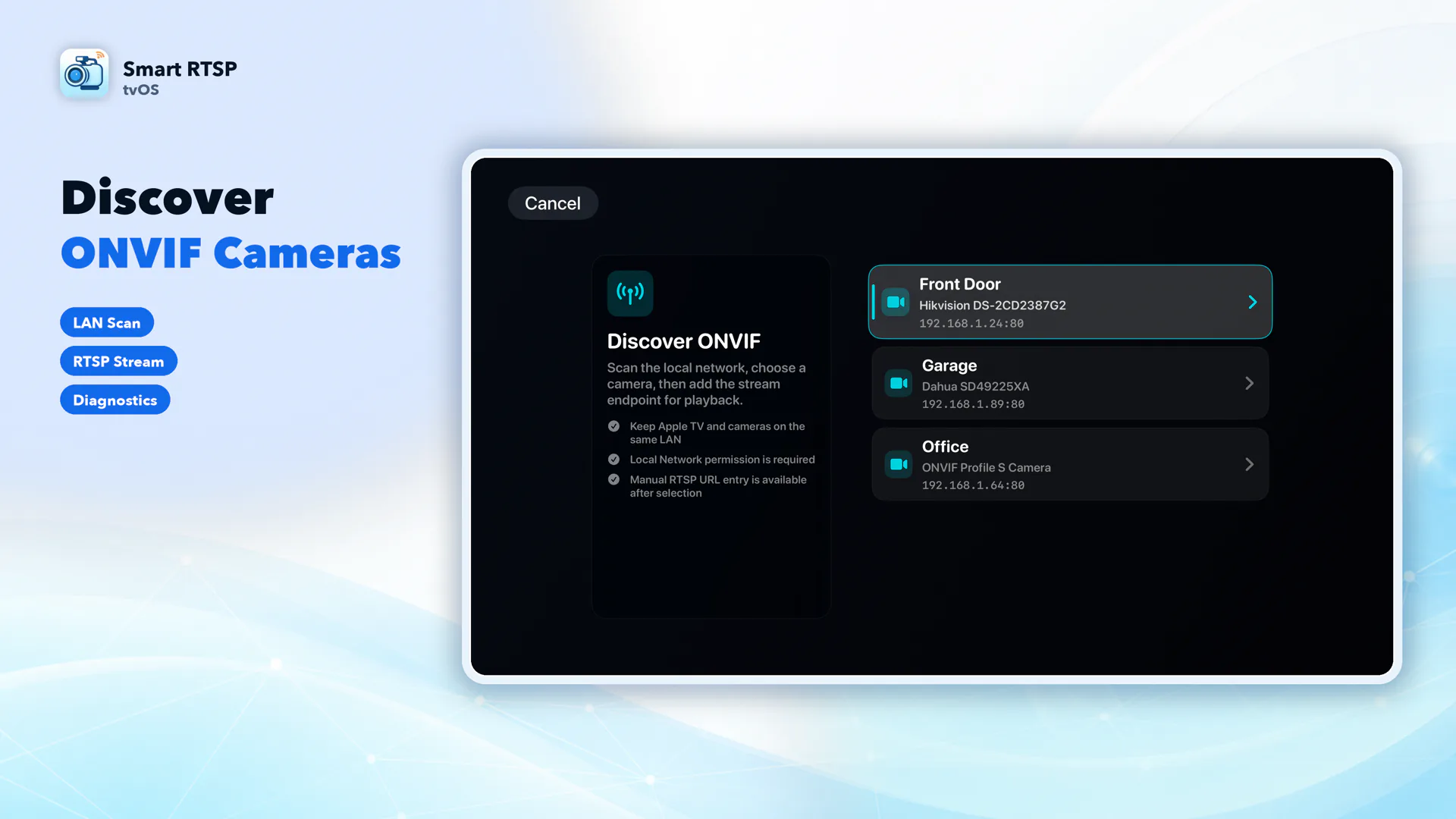
Local ONVIF discovery

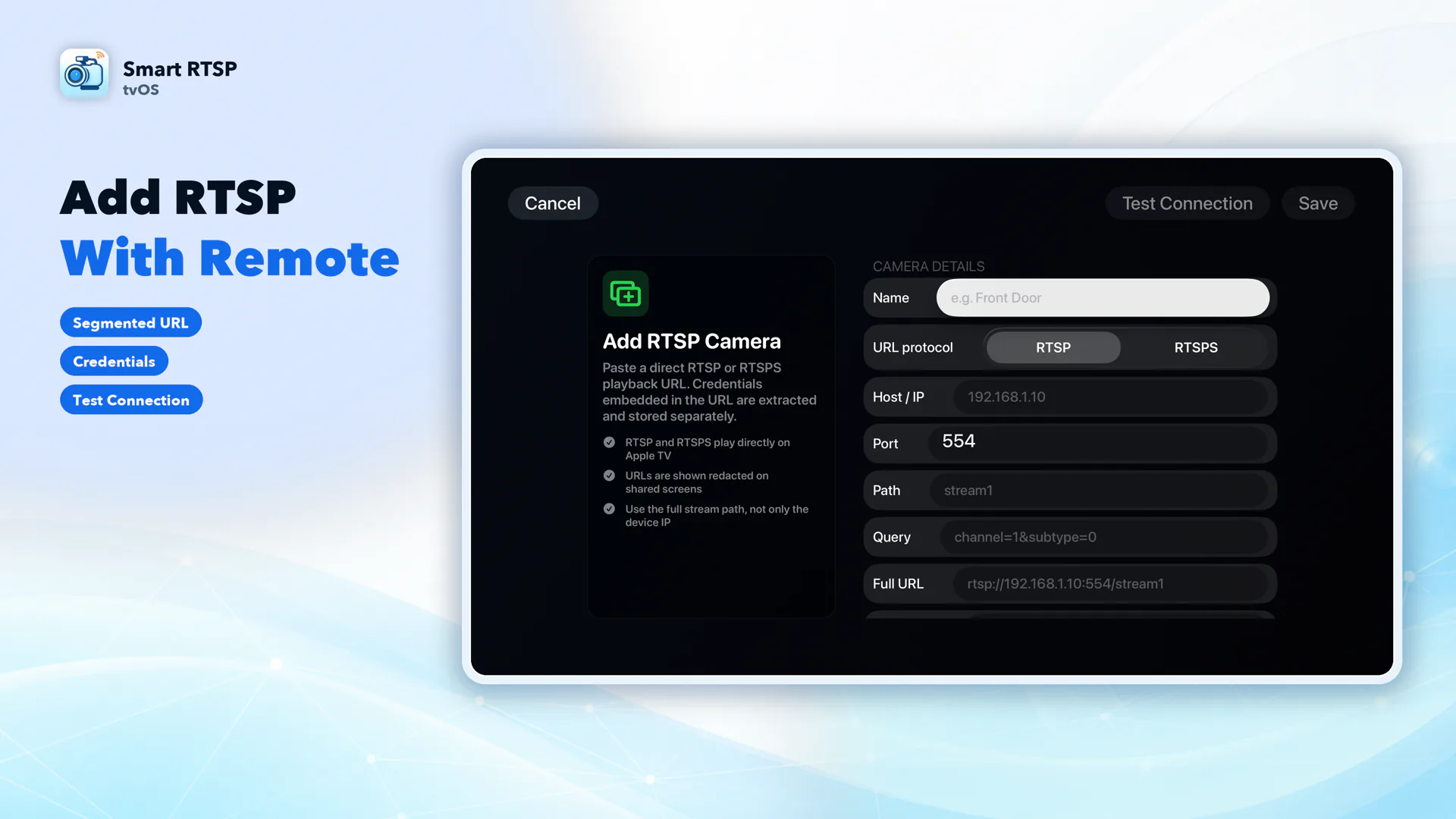
Scan your local network to find ONVIF cameras automatically, or add any camera manually with its RTSP/RTSPS stream URL — with connection testing before you save it.

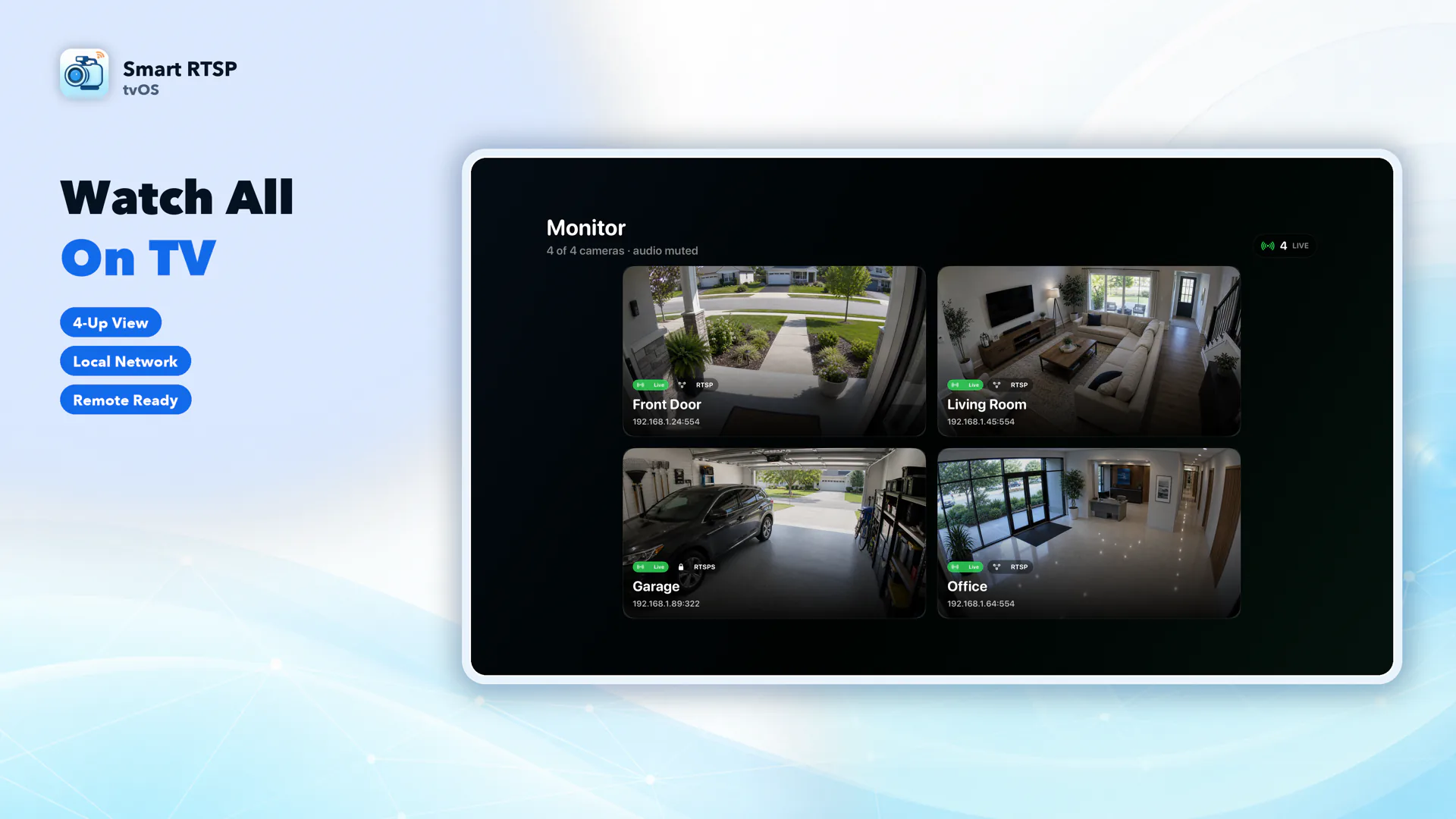
4-, 6-, and 9-camera monitor layouts

Choose a 4-, 6-, or 9-camera layout. For larger grids, use each camera's lower-bitrate substream when available to reduce bandwidth and decoding load.

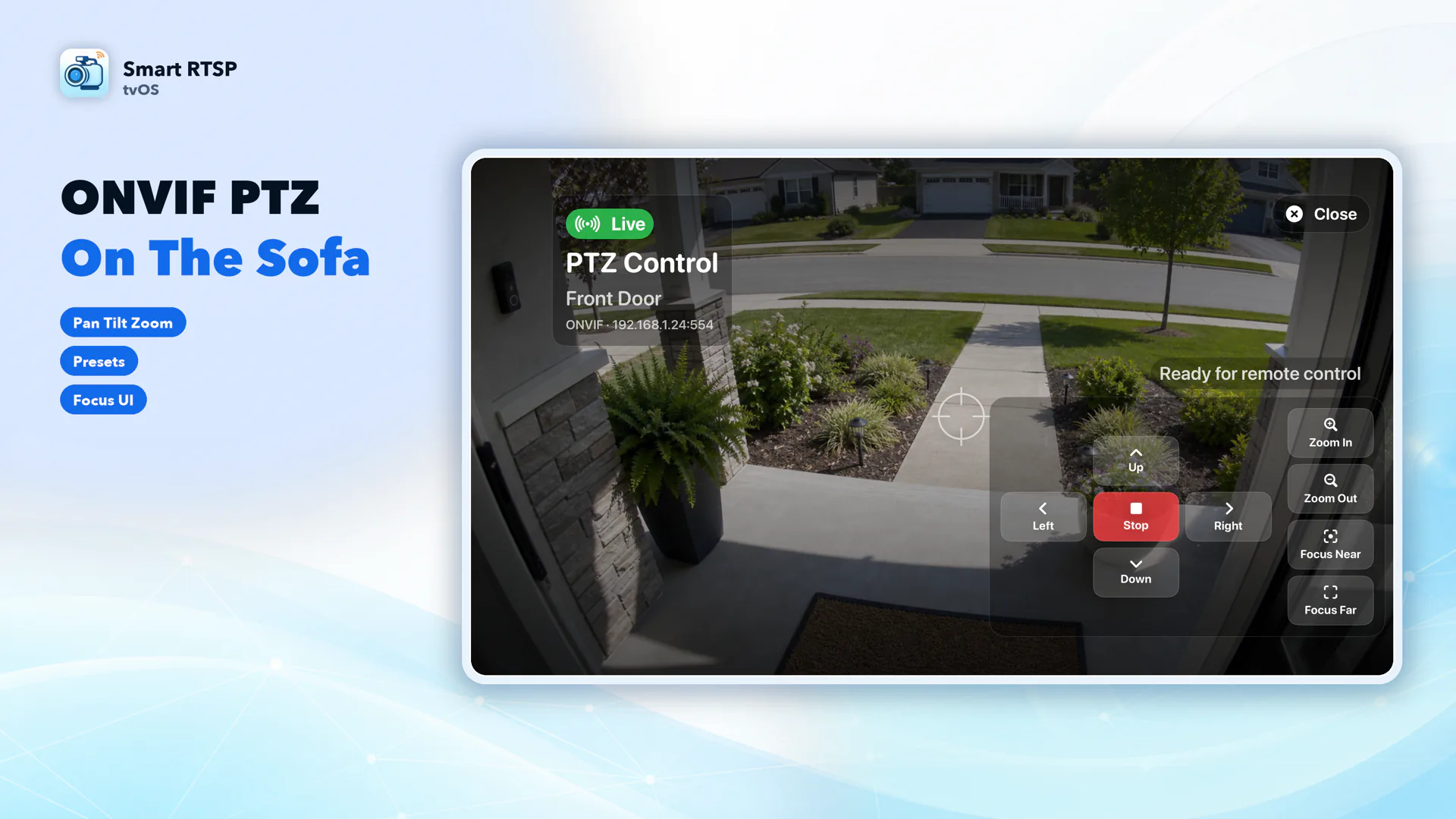
ONVIF PTZ from the couch

Pan, tilt, zoom, focus, and return to home position with the Siri Remote on any camera that supports ONVIF PTZ — no phone required.

See it on Apple TV
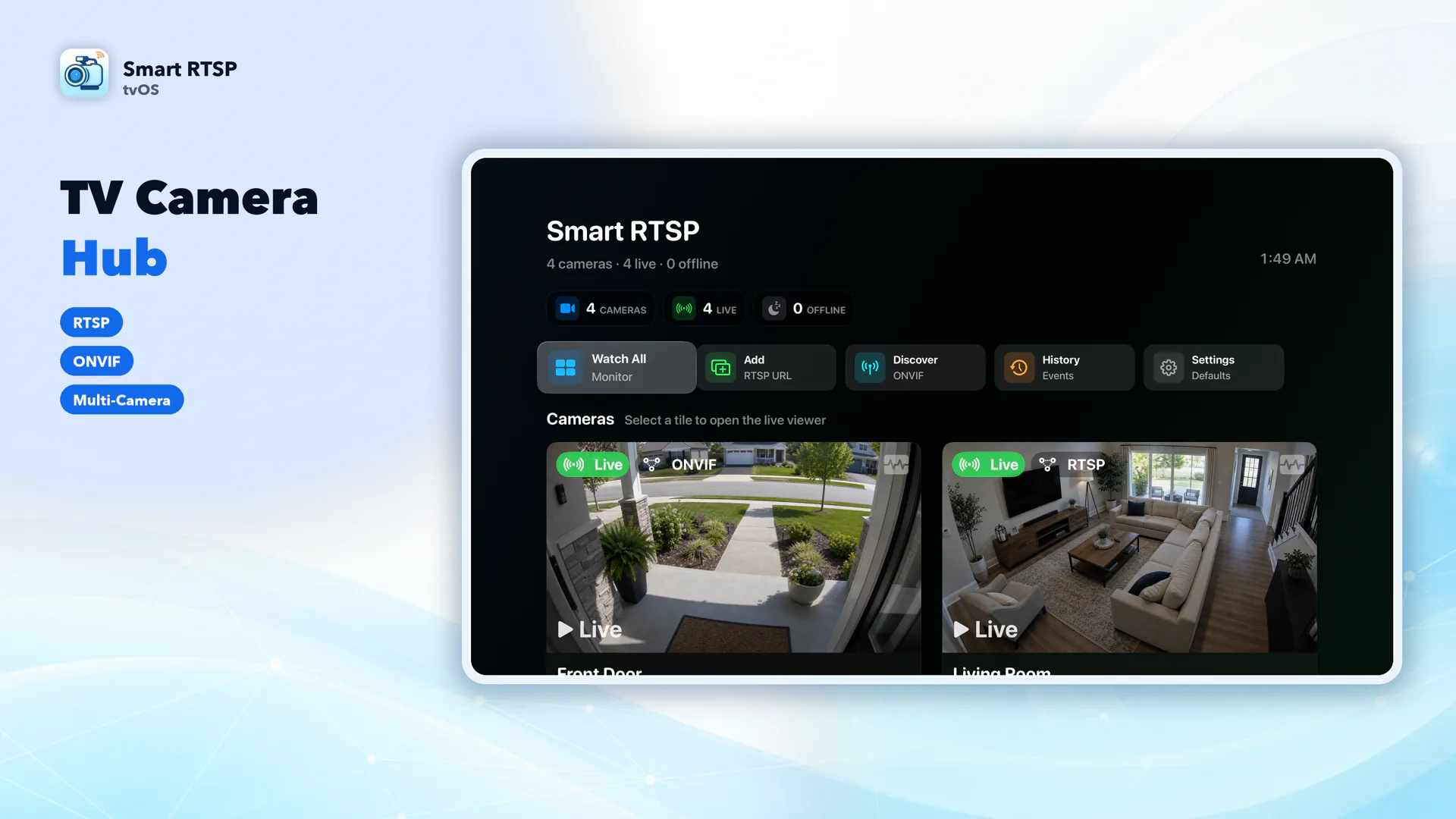
Smart RTSP camera hub screen on Apple TV showing saved cameras with Siri Remote focus cards
Camera hub — large focus cards built for Siri Remote
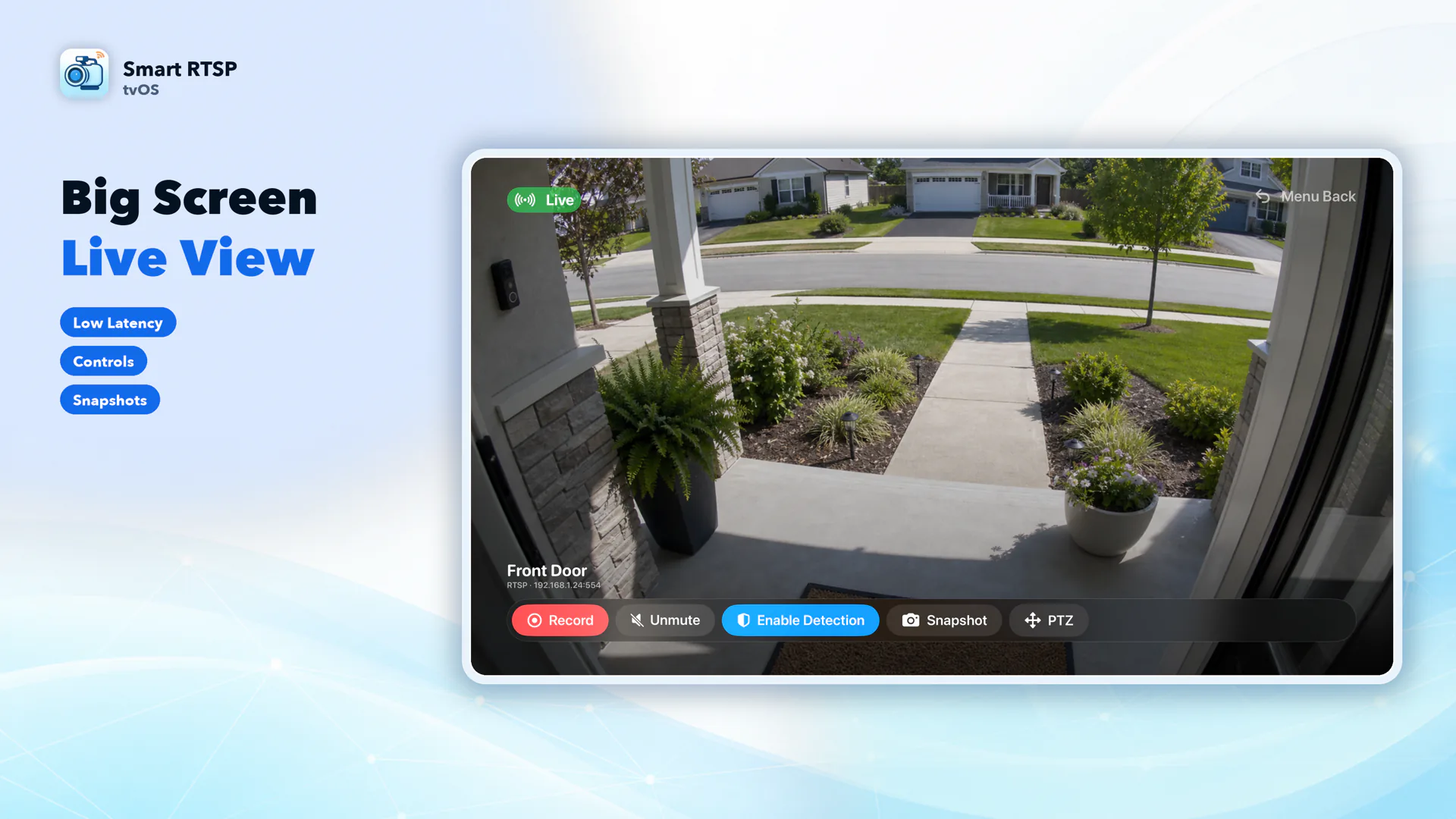
Full-screen live RTSP camera view on Apple TV
Full-screen live view on the big screen
Four-camera monitor layout on Apple TV
Four-camera layout shown; 6- and 9-camera layouts are also available
ONVIF PTZ pan tilt zoom control screen on Apple TV
ONVIF PTZ control with pan, tilt, zoom, and focus
ONVIF camera discovery screen on Apple TV local network scan
ONVIF discovery scans your local network for cameras
Manual RTSP camera setup screen with connection testing on Apple TV
Manual RTSP/RTSPS setup with connection testing
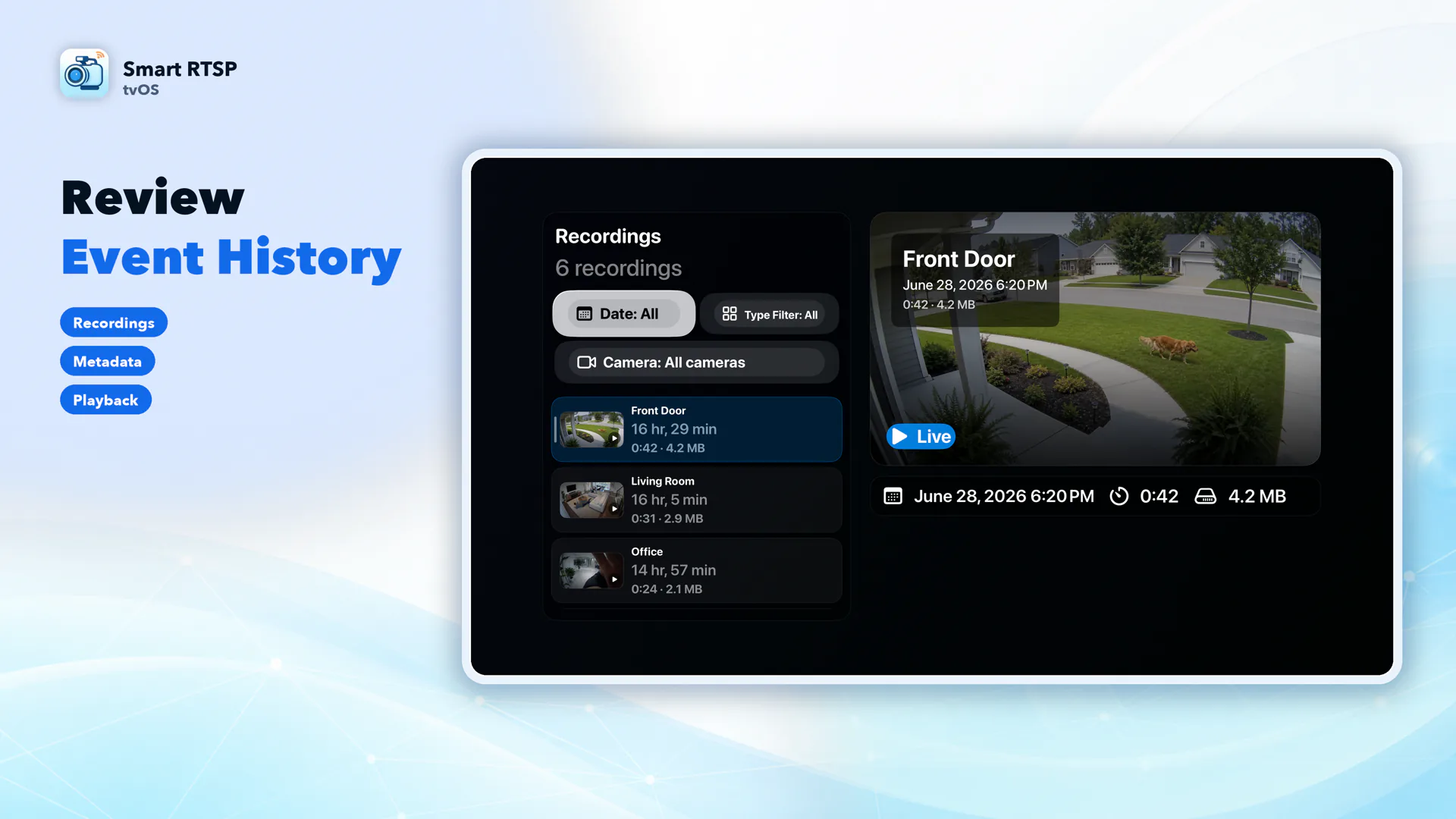
Recording event history screen with filters on Apple TV
Recording history with camera, date, and event filters
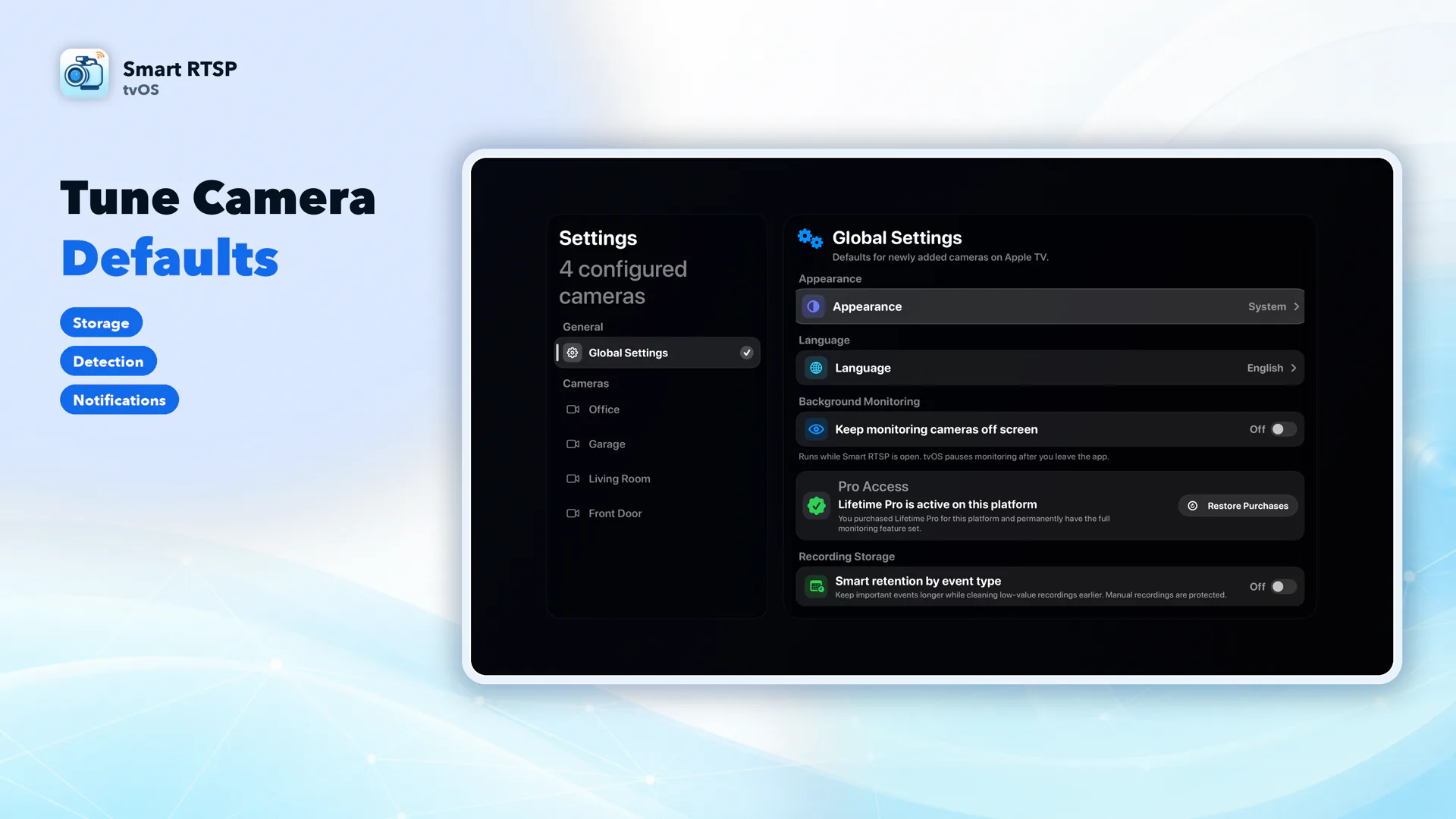
Per-camera settings screen on Apple TV
Per-camera settings for performance and connection

What's in the Apple TV app

Live viewing for RTSP, RTSPS, and ONVIF cameras

Full-screen live video with mute/unmute controls, sized for the living room.

Manual recording, snapshots, and history playback

Trigger a recording or snapshot with the Siri Remote, then review clips later with filters by camera, date, and event type. (Smart RTSP Pro)

Optional motion, person, and sound detection

In-app event banners appear while Smart RTSP is open and focused on your Apple TV. (Smart RTSP Pro)

Per-camera settings

Control connection details, monitor-grid visibility, detection, performance, and local recording cleanup for each camera.

Not on Apple TV: Apple Home, Live Push, iCloud, Photos

Apple Home support is available on Mac. RTMP/YouTube Live Push, iCloud sync, and Photo Library integration are available on iPhone, iPad, and Mac. None of these features are available on Apple TV. Apple TV also pauses monitoring once you leave the app, unlike background detection on iPhone and iPad.

Frequently Asked Questions

Is the Apple TV app a separate App Store listing?
Yes. Smart RTSP for Apple TV has its own App Store listing. Open the App Store on Apple TV and search for “Smart RTSP”, or use an Apple TV download link on this page.
How many cameras can I view at once on Apple TV?
Smart RTSP for Apple TV supports layouts for 4, 6, or 9 cameras. Use camera substreams in the larger layouts when you need lower bandwidth and smoother playback.
Does Smart RTSP for Apple TV support HomeKit or Live Push to YouTube?
No. Apple Home support is available on Mac, while RTMP/YouTube Live Push, iCloud sync, and Photo Library integration are available on iPhone, iPad, and Mac. None are available on Apple TV. The Apple TV app focuses on local live view, recording, snapshots, history, and ONVIF PTZ.
Does Apple TV keep monitoring cameras after I leave the app?
No. Apple TV pauses camera monitoring once you leave the Smart RTSP app or the TV goes to sleep. For always-on background monitoring, use the iPhone, iPad, or Mac app instead.
Which features require Smart RTSP Pro on Apple TV?
SmartRTSP includes a three-day trial. After the trial, Pro is required to use the app; recording, history, detection, and multi-camera layouts are Pro features.
What camera brands work with Smart RTSP on Apple TV?
Any camera that exposes an RTSP, RTSPS, or ONVIF stream works, including Hikvision, Reolink, Dahua, Amcrest, TP-Link Tapo, UniFi Protect, Wyze (RTSP firmware), Foscam, Annke, Lorex, Axis, Bosch, Uniview, and Hanwha.

Try your cameras on the big screen

SmartRTSP includes a three-day trial. After the trial, choose a monthly, yearly, or lifetime Pro option to continue.