RTSP & ONVIF IP Camera Viewer
AI-powered camera monitoring with on-device analysis. View locally as usual, and enable optional remote viewing when you want to watch away from home.
SmartRTSP for Android phones and tablets is now available on Google Play.
Eligible Android TV and Google TV televisions can install SmartRTSP directly when the TV includes Google Play and shows Install for the app.
SmartRTSP on Android TV / Google TV →Advanced AI features designed for home owners, small businesses, and security professionals.
Cascade AI detects people, motion, faces, sounds, fire/smoke, vehicles, license plates, animals, falls, and more. Saves CPU by only triggering deeper analysis when needed — fewer false alarms, more accuracy.
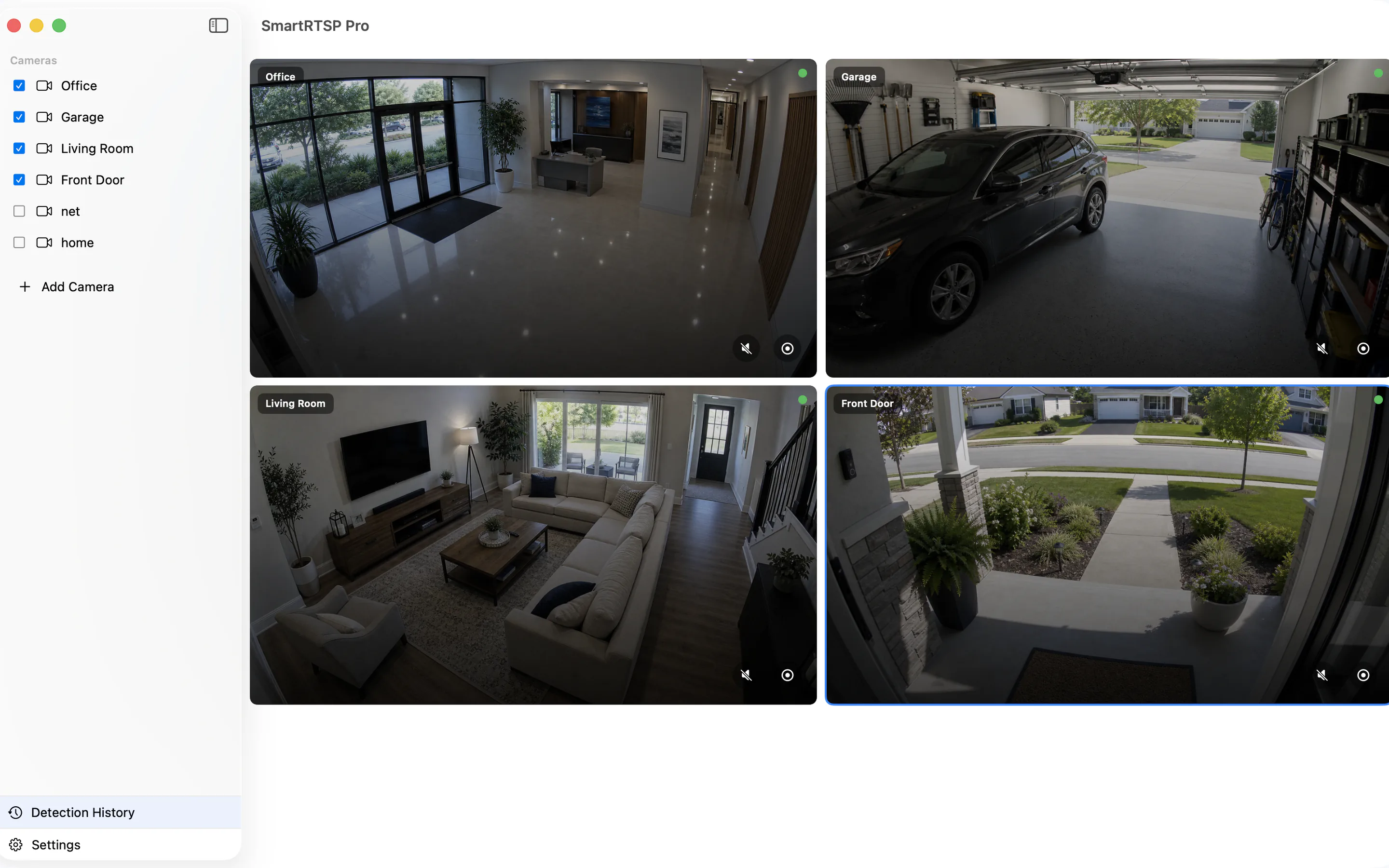
Monitor up to 8 cameras simultaneously in an auto-arranged grid. Hardware-accelerated H.264/HEVC decoding via VideoToolbox for smooth, low-latency playback.
Automatically records when events are detected. Intelligent storage management with configurable retention up to 90 days and auto-cleanup at 50 GB.
Deep-learning sound classification — detect doorbells, alarms, glass breaking, and more. AI-powered voice enhancement delivers crystal-clear audio from any camera.
Multi-channel alerts: local push notifications, email via SMTP, and webhooks for Slack, Discord, Microsoft Teams, Lark/Feishu, and custom endpoints — all triggered the moment an event is detected.
For local viewing, camera video and AI analysis stay on your devices. Optional remote viewing delivers video over the internet to your viewing device.
Full ONVIF PTZ control — pan, tilt, zoom, and preset positions. Adjust camera imaging settings like brightness, contrast, and saturation remotely.
Define custom danger zones and get instant alerts when people or children enter restricted areas. Detect unattended objects, camera tampering, and scene changes.
Use SmartRTSP on Mac as a simple path from RTSP and ONVIF cameras to Apple Home. Add Hikvision, Reolink, Dahua, Wyze, and more to SmartRTSP, then continue the Apple Home setup on your Mac.
Push Wyze, Hikvision, Dahua, Reolink, Tapo and other RTSP/ONVIF cameras directly to YouTube Live, Twitch, Facebook or custom RTMP.
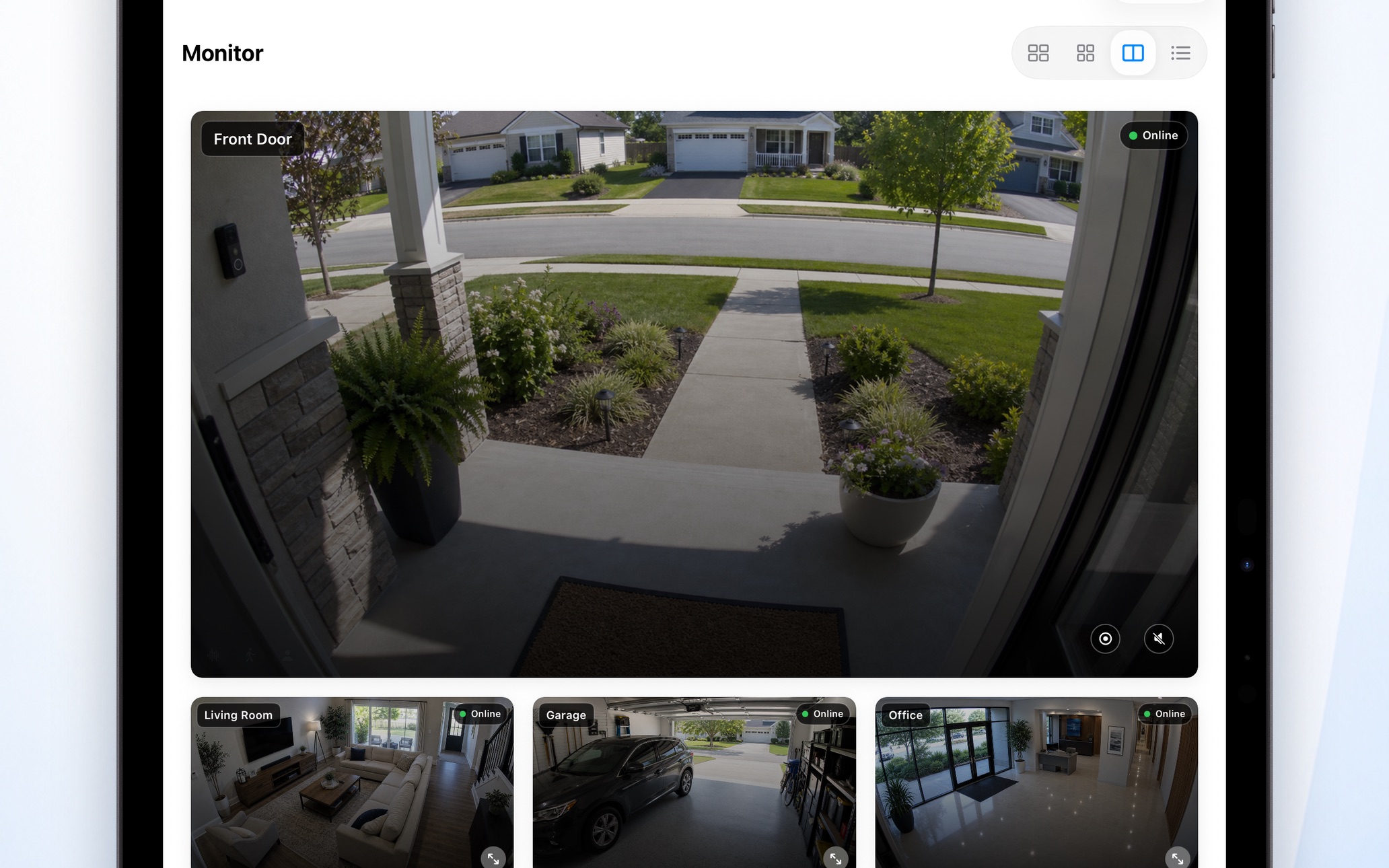
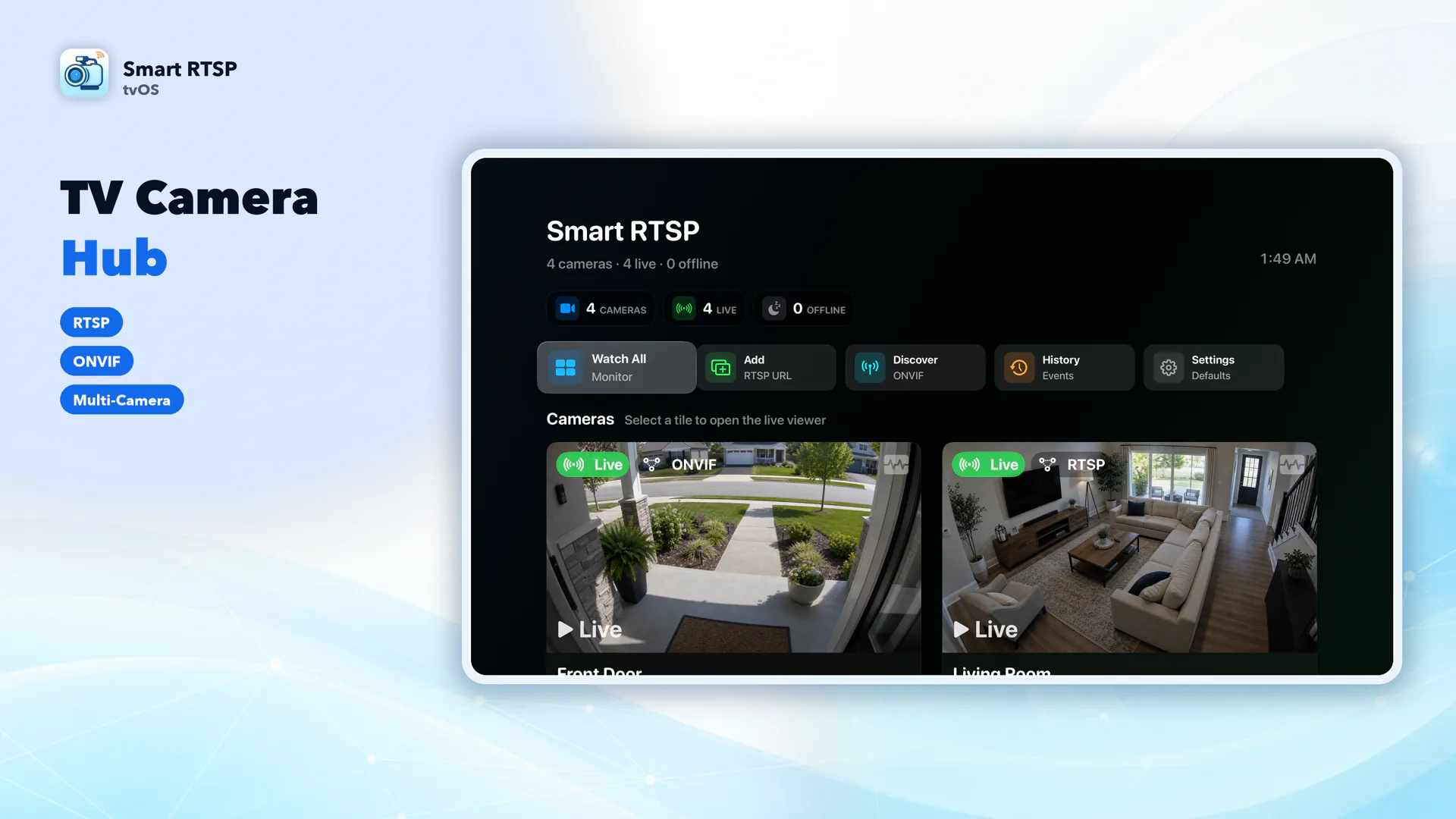
Real screenshots — no mockups, no stock photos.
Three native apps — each crafted for its platform, from iPhone to the big screen on Apple TV.
Monitor your cameras anywhere, anytime. Background detection keeps you informed even when the app isn't in focus.
A powerful monitoring station on your desktop. Full keyboard shortcuts, sidebar layout, and Metal GPU acceleration for professional-grade performance.
Turn your TV into a local RTSP and ONVIF camera monitor. Built for Siri Remote, with layouts for up to 9 cameras and ONVIF PTZ.
SmartRTSP for Android phones and tablets is now available on Google Play.
Get SmartRTSP on Google PlayEligible televisions with built-in Google Play can install SmartRTSP if the TV offers an Install button.
SmartRTSP for Windows is now available from the Microsoft Store for RTSP and ONVIF camera viewing.
Microsoft StoreSmartRTSP connects to any RTSP or ONVIF-compatible IP camera — including all major consumer and professional brands. No bridge hardware, no cloud subscription required.
Common stream URLs for popular camera brands. Replace user, pass and IP with your camera's credentials and IP address.
main with sub for a lower-resolution sub-stream101, sub-stream = 102; channel 2 = 201subtype=0 for main stream, subtype=1 for sub-streamsubtype=0 main, subtype=1 extra, subtype=2 mobile stream/videoSub. Enable RTSP in the camera web UI settings101, sub = 102stream2 for sub-stream. Credentials are your Tapo account username and password?videocodec=h264 to force H.264 encoding for best compatibilityrtsp://IP/video?inst=1&h26x=4rtsp://IP:8554/unicastSmartRTSP works with any IP security camera that supports the RTSP (Real Time Streaming Protocol) or ONVIF standard. This includes all major brands: Hikvision, Reolink, Wyze (with RTSP firmware enabled), Dahua, Amcrest, Eufy (select indoor models), Foscam, Annke, Lorex, TP-Link Tapo, Axis, and Bosch. For consumer brands like Wyze that don't enable RTSP by default, SmartRTSP provides brand-specific setup guides. If your camera supports ONVIF, SmartRTSP can auto-discover it on your local network with one tap — no manual IP entry required. Any camera that outputs a standard RTSP stream will work, regardless of brand. No bridge hardware, no hub, and no cloud subscription is required — SmartRTSP connects directly to your cameras over your local Wi-Fi or Ethernet network.
Local viewing and AI analysis run on your own devices. If you choose optional remote viewing, your camera video is delivered to the device where you watch it over the internet. Remote viewing requires an account and a separate plan; iCloud sync is also optional. Neither is required for local viewing.
Yes. Live viewing, camera discovery, AI detection, and recording on your local network can work without internet. Optional remote viewing needs an internet connection, as do optional iCloud sync and app updates.
SmartRTSP is free to download and includes a three-day trial. After the trial, Pro is required, with monthly, yearly, and lifetime options.
The easiest method is SmartRTSP's built-in ONVIF auto-discovery — tap "Scan" and the app finds all compatible cameras on your local network automatically. For manual RTSP URL setup: Hikvision uses rtsp://user:pass@IP:554/Streaming/Channels/101 for the main stream (use /102 for sub-stream). Reolink uses rtsp://user:pass@IP:554/h264Preview_01_main (replace "main" with "sub" for lower resolution). Dahua and Amcrest share the format rtsp://user:pass@IP/cam/realmonitor?channel=1&subtype=0. TP-Link Tapo uses rtsp://user:pass@IP:554/stream1. In all cases, replace user, pass, and IP with your camera's actual credentials and local IP address. Full brand-specific guides are in the Cameras section above.
Yes. SmartRTSP's multi-camera grid lets you view up to 8 cameras simultaneously in an auto-arranged layout. Hardware-accelerated decoding via Apple's VideoToolbox ensures smooth, low-latency H.264 and H.265/HEVC playback even when monitoring multiple streams.
SmartRTSP uses a cascade AI architecture designed for accuracy and battery efficiency. Detection starts with a lightweight motion pass — if no motion is present, deeper models stay idle. When motion is confirmed, a person detection model identifies whether a human is visible in the frame. Face recognition activates as a third layer only when a person is detected, minimising false alerts. For audio monitoring, SmartRTSP uses Apple's on-device sound analysis to classify 521 categories of sound in real time, including doorbells, smoke alarms, glass breaking, baby crying, and dog barking. You can configure custom alert rules — for example, notify only when both a person and a doorbell sound are detected together. All AI processing runs locally on your device with no cloud upload, no network latency, and no internet connection required. Detection continues even when the app is running in the background.
Step-by-step guides, troubleshooting help, and comparisons — all free.
Available on iPhone, iPad, Mac, Apple TV, Windows, and Android. Download the app for your platform and start monitoring in minutes.