IP camera viewer · RTSP / ONVIF
SmartRTSP is an RTSP viewer and player for compatible IP cameras and recorder streams. Add a documented camera address or use supported ONVIF discovery, then check the live picture on your own device.
View your cameras, review recordings, and get alerts for the events you choose. Features and Pro requirements vary by platform.
Supported devices analyze camera feeds locally to detect people, motion, and selected events.
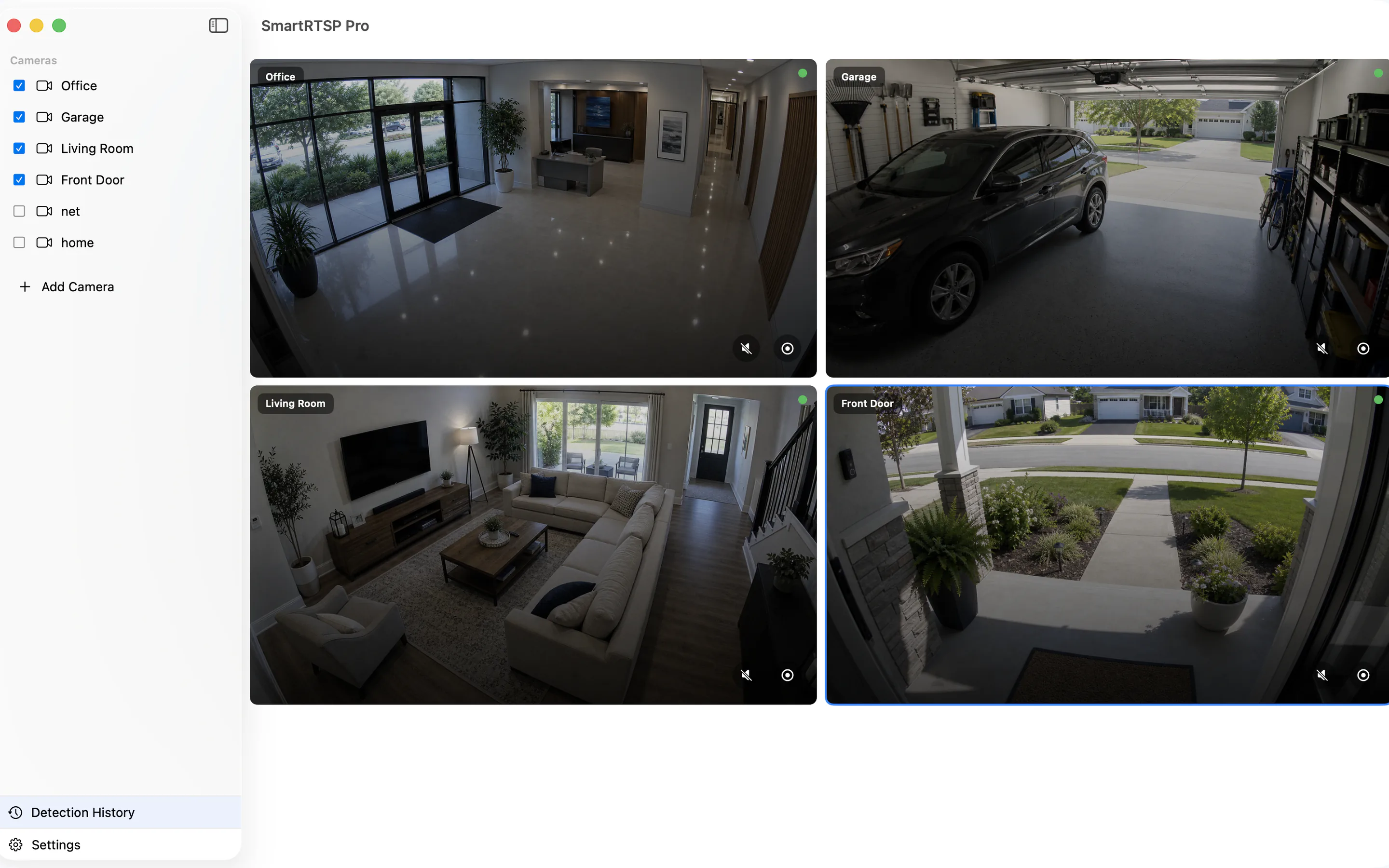
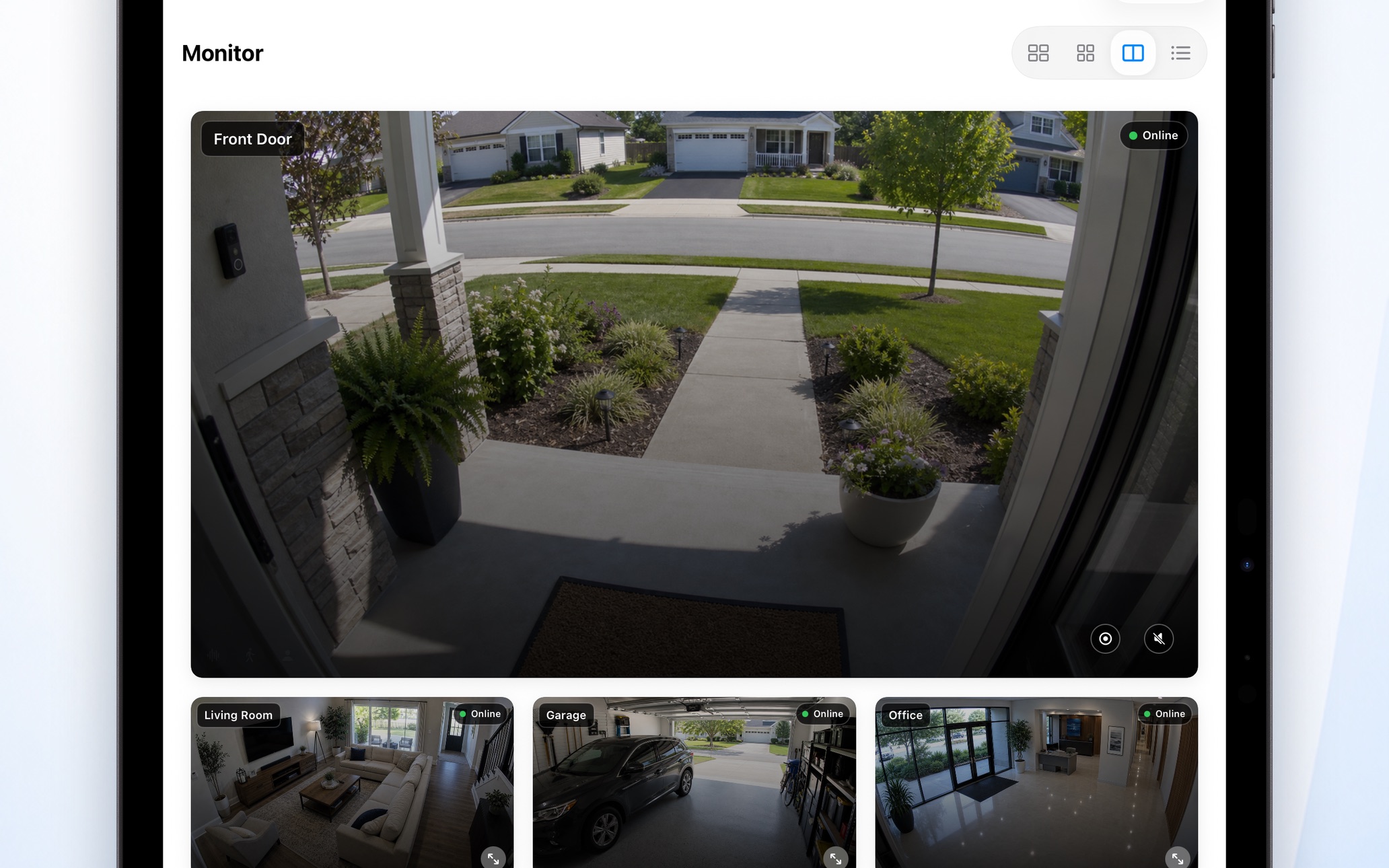
View several cameras on one screen with Pro. Available layouts depend on the device and app version.
Save recordings locally on supported devices. Check the app for recording modes, storage options, and trial or Pro access.
If your camera stream includes audio, supported versions can recognize sounds such as doorbells and alarms.
On supported versions, choose local notifications, email via SMTP, or webhooks for the events you want to follow.
Local by default · Camera processing on your device · Remote viewing is optional · Relay services only when enabled · Technical error reports · No images, videos, or personal names
Pan, tilt, zoom, and use presets on compatible ONVIF cameras. The controls shown depend on what your camera supports.
On supported devices, mark an area in the camera image and set an alert for when someone enters it.
Use SmartRTSP on Mac as a simple path from RTSP and ONVIF cameras to Apple Home. Add Hikvision, Reolink, Dahua, Wyze, and more to SmartRTSP, then continue the Apple Home setup on your Mac.
Push Wyze, Hikvision, Dahua, Reolink, Tapo and other RTSP/ONVIF cameras directly to YouTube Live, Twitch, Facebook or custom RTMP.
Real screenshots — no mockups, no stock photos.
Watch compatible RTSP or ONVIF cameras on iPhone, iPad, Mac, Apple TV, Windows or Android. Start with one camera on your local network, then check the viewing, recording and remote features available on your device.
Read the platform guide
Use a TV with built-in Google Play.
Remote viewing supports iPhone, iPad, Apple TV, and Mac. It is not currently available in SmartRTSP for Windows or Android.
Test live video, audio, PTZ controls, reconnection and recording separately. A camera brand alone does not establish compatibility with every model. Keep your existing recorder if you need uninterrupted recording and storage.
SmartRTSP is free to download. Access terms and Pro plans vary by platform; check the installed app and its store listing.
iPhone · iPad · Mac · Apple TV · Windows · Android. This policy covers SmartRTSP on supported Apple devices, Windows, Android phones and tablets, and Android TV televisions with built-in Google Play. Features vary by platform.
Watch compatible cameras on your local network. For setup and requirements outside your local network, see Remote Viewing.
A powerful monitoring station on your desktop. Full keyboard shortcuts, sidebar layout, and Metal GPU acceleration for professional-grade performance.
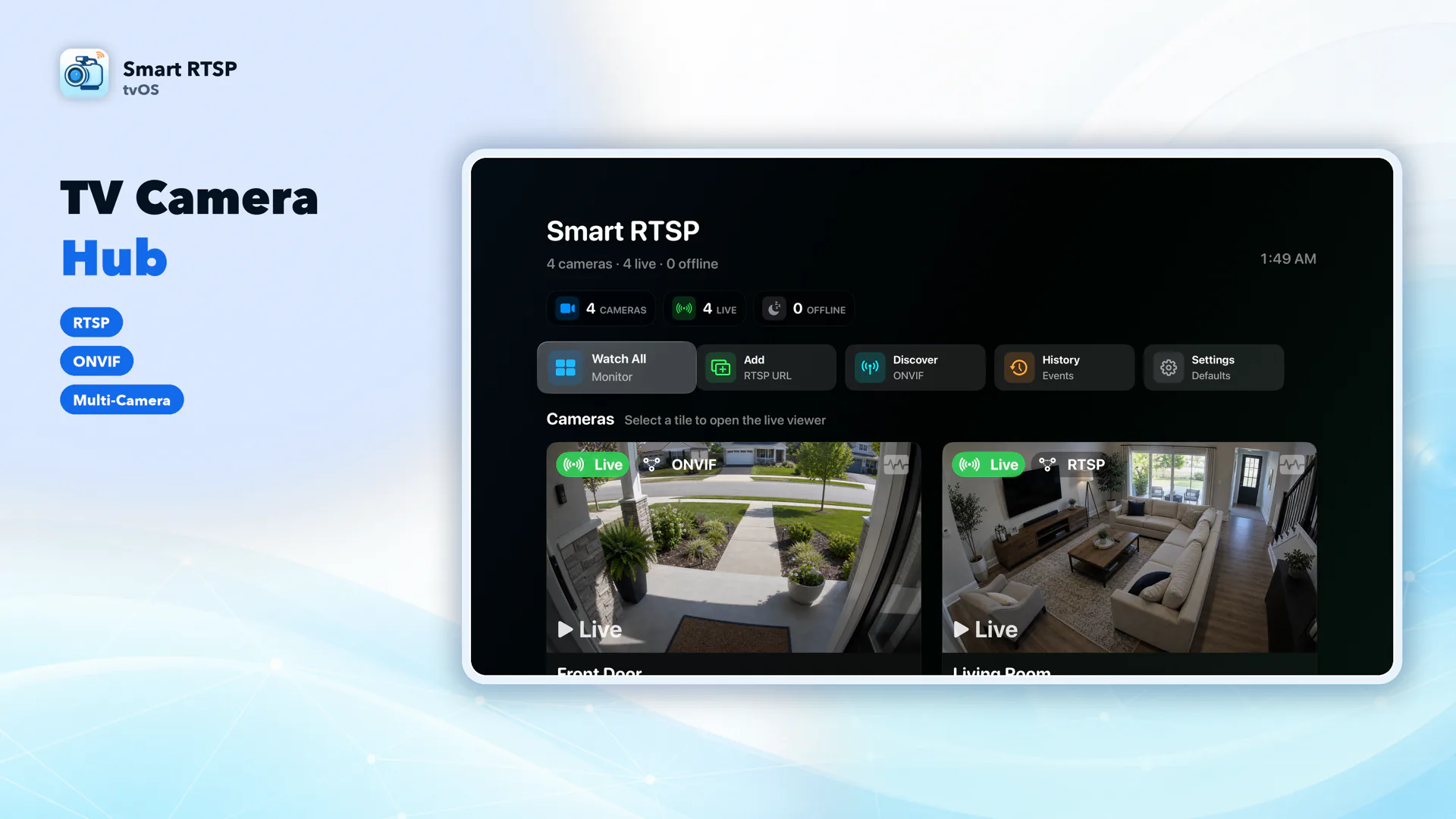
Turn your TV into a local RTSP and ONVIF camera monitor. Built for Siri Remote, with layouts for up to 9 cameras and ONVIF PTZ.
Download SmartRTSP for Android phones and tablets on Google Play.
Get SmartRTSP on Google PlayEligible televisions with built-in Google Play can install SmartRTSP if the TV offers an Install button.
SmartRTSP for Windows is now available from the Microsoft Store for RTSP and ONVIF camera viewing.
Microsoft StoreDownload SmartRTSP for Android phones and tablets on Google Play.
Eligible Android TV and Google TV televisions can install SmartRTSP directly when the TV includes Google Play and shows Install for the app.
SmartRTSP on Android TV / Google TV →Watch IP cameras on Windows, Mac, iPhone, iPad, Android or a compatible TV. Connect on your local network and check which viewing features are available.
Play an RTSP stream in SmartRTSP. Find the right camera URL and diagnose timeouts, login errors, black screens and missing audio.
Choose your camera brand for local RTSP and ONVIF setup on Apple TV: model requirements, stream settings, connection steps and troubleshooting.
Choose your camera brandConnect compatible IP cameras or recorder channels using RTSP or ONVIF. Check the exact model and firmware for available features.
Common stream URLs for popular camera brands. Replace user, pass and IP with your camera's credentials and IP address.
main with sub for a lower-resolution sub-stream101, sub-stream = 102; channel 2 = 201subtype=0 for main stream, subtype=1 for sub-streamsubtype=0 main, subtype=1 extra, subtype=2 mobile stream/videoSub. Enable RTSP in the camera web UI settings101, sub = 102?videocodec=h264 to force H.264 encoding for best compatibilityrtsp://IP/video?inst=1&h26x=4rtsp://IP:8554/unicastLook for RTSP or ONVIF support in the documentation for your camera or recorder. Some models require you to enable local streaming or create a separate camera account.
Local viewing does not require a SmartRTSP account. Camera configurations, credentials, recordings, snapshots, and event history are stored on your device or in a location you choose. Supported AI processing runs on your device. Camera, microphone, and local-network access are used for the features you enable. If you enable remote viewing, camera video is sent over the internet to your viewing device and may pass through a relay server that forwards the video stream. If remote viewing is disabled, SmartRTSP does not contact remote-viewing or relay services. This does not disable the separate error reports or other services described below. Android and Windows may send technical reports when crashes or exceptions occur to help diagnose errors. Reports contain error information such as error types, code stack traces, and app or system versions. They do not collect images, videos, recordings, camera names, user names, camera addresses, or login credentials. Error reporting may use the internet even when remote viewing is disabled.
Yes. Live viewing, camera discovery, AI detection, and recording on your local network can work without internet. Optional remote viewing needs an internet connection, as do optional iCloud sync and app updates.
SmartRTSP is free to download. Access terms and Pro plans vary by platform; check the installed app and its store listing.
Put your viewing device on a network that can reach the camera. Add the RTSP address documented for your model, or try ONVIF discovery if the camera supports it. Open live view to confirm the correct channel.
Yes. Pro offers a multi-camera grid on supported platforms. Apple TV can show up to nine camera feeds at once. Check the layouts on your own device.
On supported devices, SmartRTSP can detect people, motion, and sounds such as doorbells or alarms. Processing runs on the device. Available detection types vary by platform.
Step-by-step guides, troubleshooting help, and comparisons — all free.
SmartRTSP is free to download. Access terms and Pro plans vary by platform; check the installed app and its store listing.